Windows 11 Search Receives Major Functional Updates
Microsoft is transforming the search bar into a direct control panel for system settings.
Search That Offers More
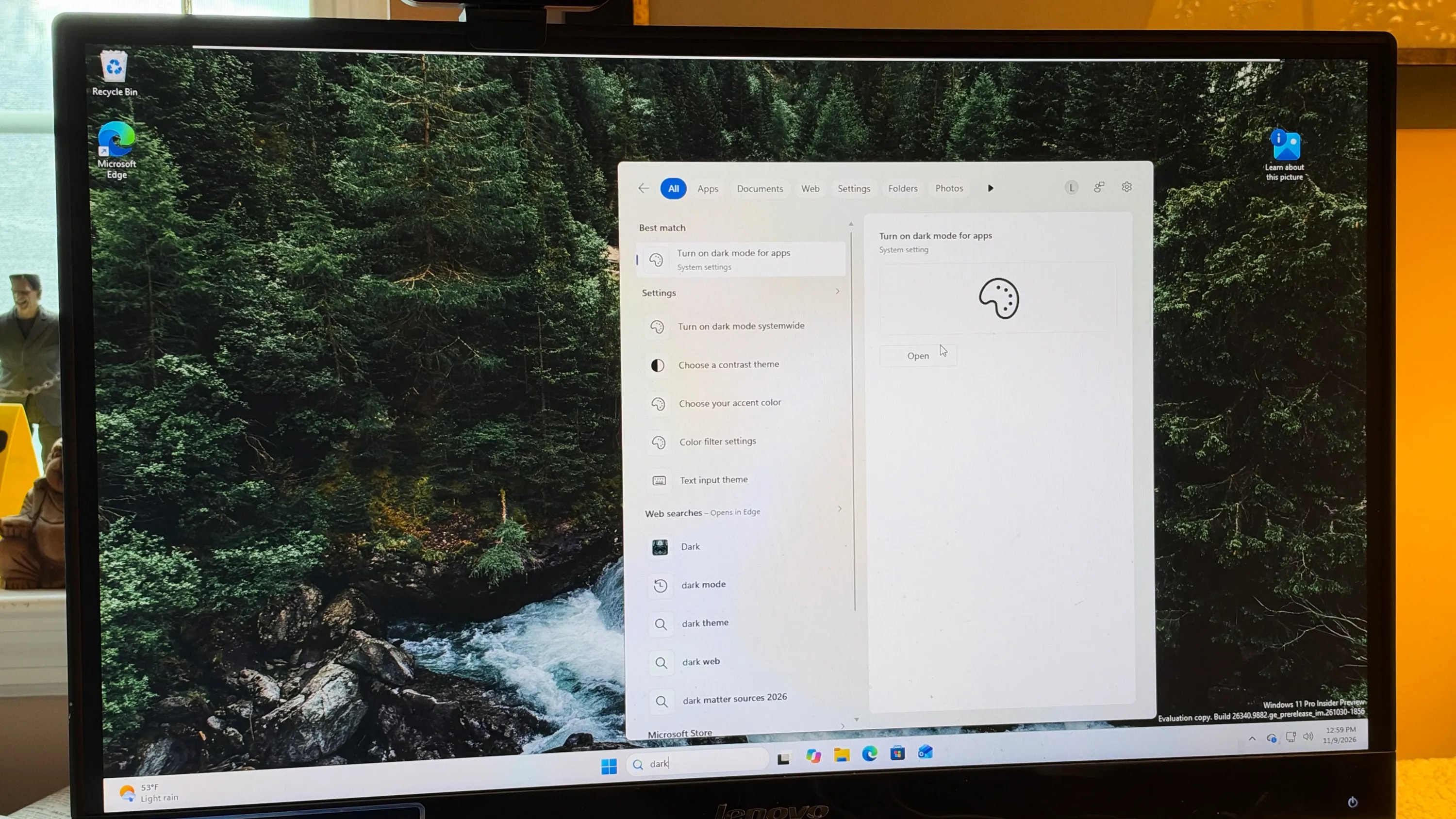
Microsoft has announced significant improvements to the Windows 11 search system. The company aims to simplify access to system settings for users. With this latest update, the search field is no longer just a tool for finding files and applications; it is evolving into a control panel where specific commands can be executed directly.
The new feature, dubbed "inline actions," allows users to change system settings without the need for lengthy menu navigation. For instance, if you wish to adjust screen brightness, toggle Bluetooth, activate "Dark mode," mute sound, or change window layouts, simply typing these terms into the search bar is sufficient. The system will automatically display the relevant button, allowing you to perform the desired action in seconds.
Smarter Algorithms and Additional News
Beyond inline actions, Microsoft has refined the logic behind the search system. The new update handles errors more effectively; if you make a typo during a search, the system will understand your intent and provide the correct results. This feature will be particularly useful for those who frequently search for specific settings but may forget the exact name or spelling.

The update is not limited to search alone. The latest Windows Insiders beta build (26320.9876) also introduces improvements to Windows Hello. If you use facial recognition in a dark environment, the system will temporarily increase screen brightness so the camera can better detect your face. This feature can be enabled in the settings menu under "Sign-in options."
How to Get the Update
At this stage, these features are available only to participants in the Windows Insiders program who are on the beta channel. If you wish to test these new functions, you can register for the program and update your system to the specified version. For general users, these changes are expected to become available by the end of the year as part of the December "Patch Tuesday" update.
These updates represent an important step toward making Windows 11 a more intuitive system. For users who frequently utilize standard Windows functions, quick access to settings will significantly save time and improve daily productivity.