Samsung’s Latest Update Simplifies Document Scanning
The One UI 8.5 update streamlines document digitisation, reducing the need for manual editing.
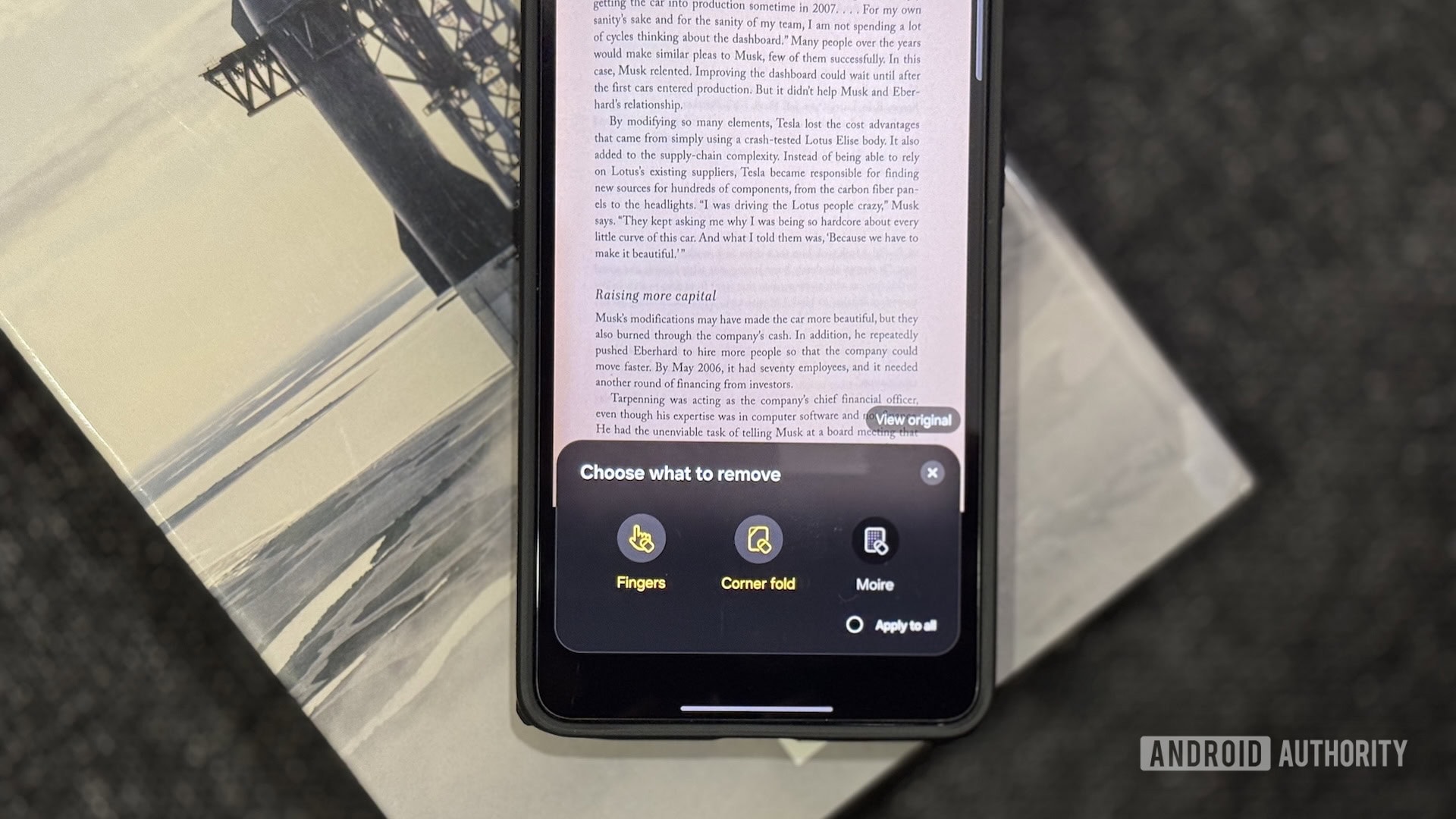
An Improved Scanning Process
Samsung has refined the document digitisation process for its smartphone users. With the One UI 8.5 update, the built-in scanner on Galaxy devices has received new features designed to save time and reduce the need for manual editing. Many users will recall the frustration of scanning documents only to find fingers, paper edges, or unwanted shadows in the frame, necessitating further adjustments.
Thanks to this update, the scanning process is now more automated and precise. This is particularly beneficial for those who frequently need to digitise contracts, receipts, or other official documents in a hurry. On devices such as the Galaxy S26 Ultra, these new tools allow users to capture a perfect scan on the very first attempt.
Why This Change Matters
While document scanning has long been a feature on modern smartphones, quality has often depended heavily on lighting and camera angles. Samsung’s latest improvements focus on software that automatically corrects images and crops out unnecessary elements. As a result, users receive a clean, legible PDF file that is ready to be saved or sent immediately.
This update marks another step in enhancing the productivity of the Samsung ecosystem. As smartphones increasingly serve as primary work tools, such details—which may appear minor at first glance—have a significant impact on daily user comfort. There is no longer a need to download third-party applications, as the native functionality is now sufficiently efficient.
What Users Should Know
With a large number of Galaxy smartphone users in Georgia, the One UI 8.5 update will soon be available for the local market. If you are using a Samsung flagship or mid-range device, it is recommended to check for system updates regularly.
Looking ahead, Samsung is expected to further refine the scanning process using artificial intelligence. This could enable automatic text recognition and the ability to export data directly from scanned documents into other applications. It is a small but essential evolution that makes working with documents a much more seamless experience.