Movavi Video Editor 27: New Features, Pricing, and Our Verdict
Updated Functionality and Template System
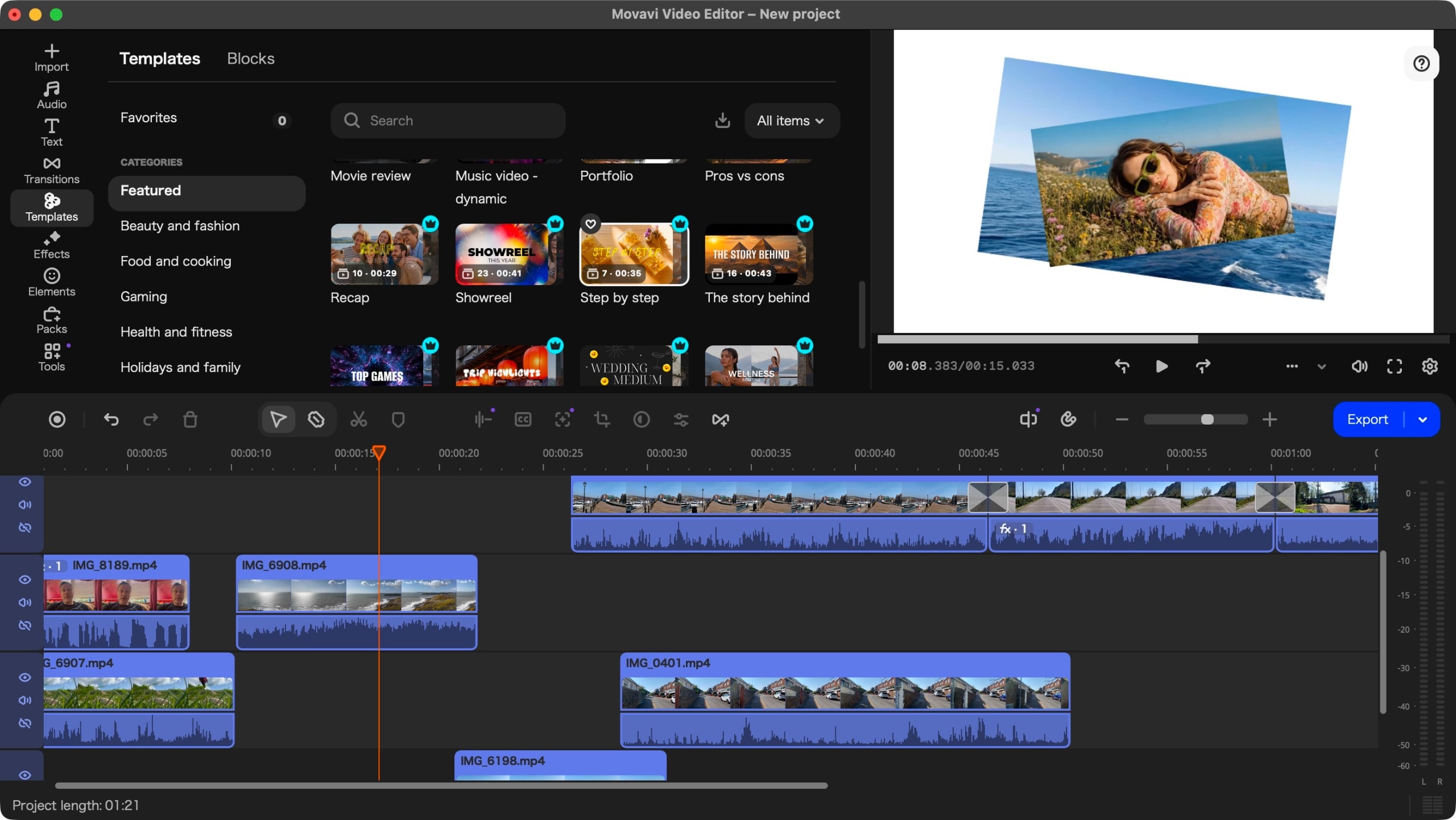
Movavi Video Editor remains a popular choice for video editing enthusiasts, particularly beginners. The latest version, 27, introduces a significant new feature: a system of pre-made templates. This functionality is designed for users who want to create professional-looking videos quickly without navigating complex technical processes.
The templates are organised into 12 categories, including fashion, gaming, and marketing. They are straightforward to use: users simply select a pre-built structure and swap in their own footage. It is also possible to combine parts of different templates, allowing for greater creative freedom. While many templates are part of the premium service, free options are available within each category.
Pricing and Availability
Movavi has revised its payment structure and, surprisingly, has reduced prices in some instances. A monthly subscription now costs $20 (or €19), while the annual package is priced at $55 (or €44). This is significantly more affordable than the annual subscription fee for Adobe Premiere Pro. For those who prefer a one-time payment, a lifetime licence is available, though its pricing varies by currency, which raises some questions.
The software is cross-platform, operating on both Windows and macOS. A free trial version is available, though it comes with limitations: exported videos include a watermark, and the duration is restricted to 60 seconds.
Technical Flaws and Interface
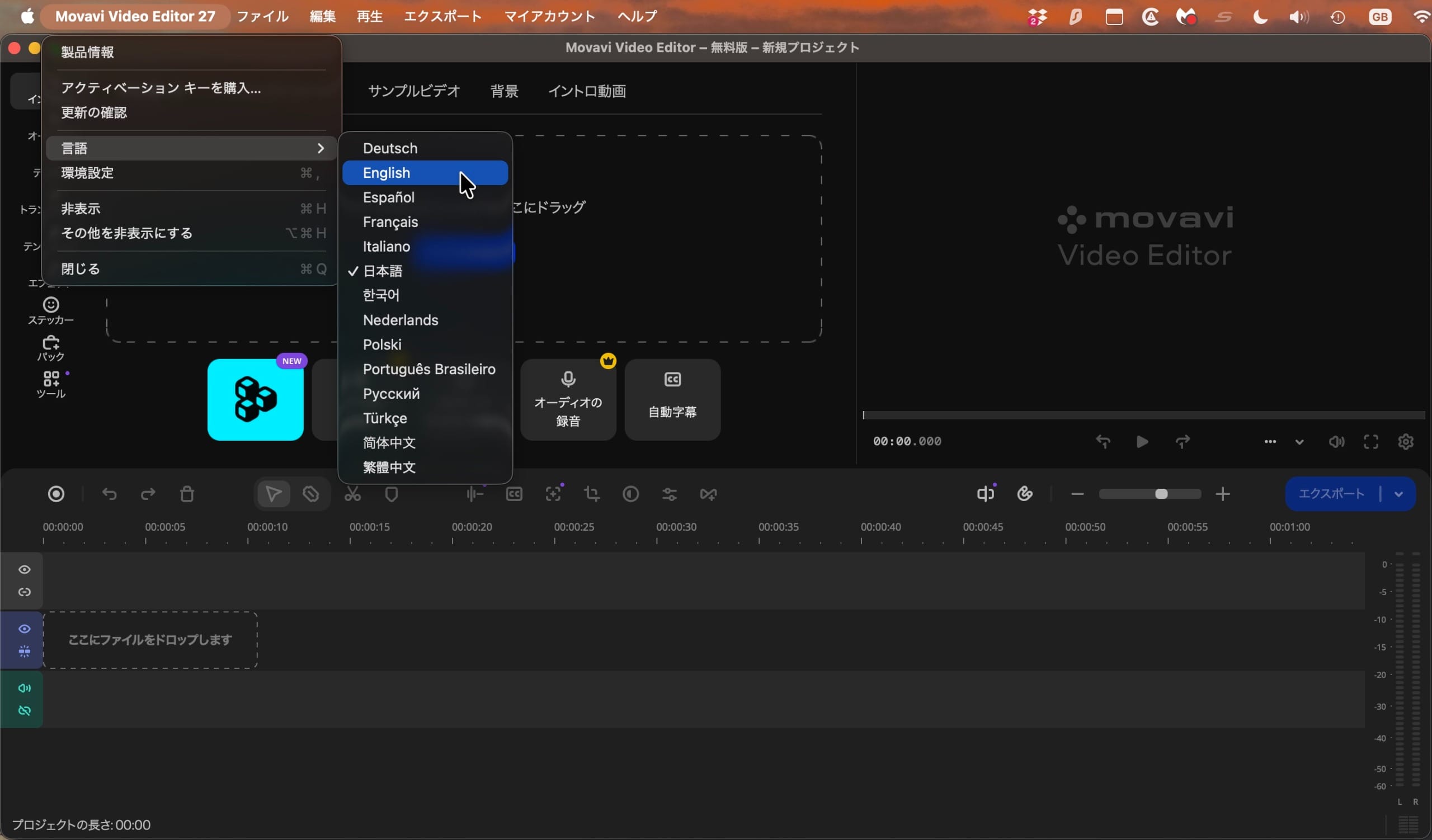
Despite functional improvements, the software still suffers from legacy issues. One of the most irritating factors is the lack of automatic language detection. Upon the first launch, the program often defaults to Japanese, which presents a significant hurdle for users who do not speak the language. While the interface language can be changed, developers have yet to resolve this issue.
Regarding performance, the program is quite stable, particularly on devices equipped with Apple Silicon. Its visual style and timeline principle are somewhat reminiscent of Final Cut Pro, which is familiar and convenient even for professionals. Tools such as image stabilisation, background removal, and AI-powered subtitle generation perform excellently.
Is Movavi Video Editor 27 Worth Buying?
Movavi Video Editor 27 is an excellent choice for those who need an efficient, easy-to-understand, and accessible video editing tool. The addition of templates has made the software even more competitive. However, if you edit videos very rarely, completely free alternatives—such as DaVinci Resolve—might be a more justifiable choice. Despite minor technical flaws, this program remains one of the best solutions for novice editors.