Lesser-Known Steam Features: How to Improve Your Gaming Experience
More Than Just a Game Menu
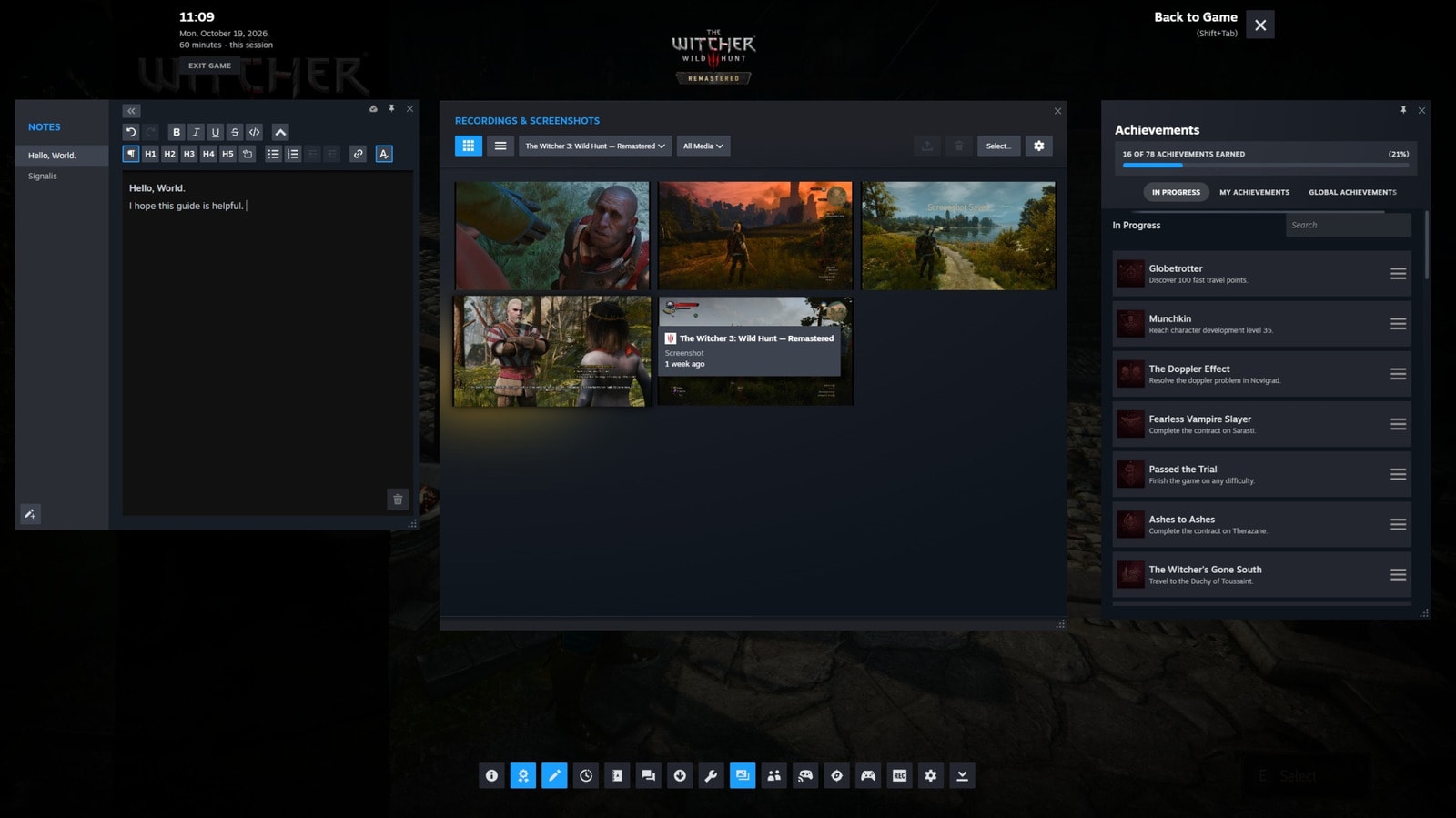
Most Steam users are familiar with the Shift + Tab keyboard shortcut, which opens the overlay panel during gameplay. While almost every modern platform offers a similar feature, Valve’s system remains one of the most versatile and convenient tools available. If you only use this menu to chat with friends, you may be missing out on a significant portion of its potential.
Built-in Browser and Notepad
Many players prefer Alt + Tab to switch to a separate browser window, but Steam’s built-in browser is significantly more optimised. It allows you to view guides or video walkthroughs for specific missions without ever leaving the game. Additionally, Steam includes a built-in text editor, which is ideal for jotting down clues in puzzle games. It is quite flexible and supports various formatting options, making it much easier to solve complex tasks.
Time Management and Screen Pinning
If you have limited time and want to use every minute efficiently, the Steam timer function is for you. The main advantage is that you do not need to look at your smartphone or get distracted from the game. Furthermore, any element, including the timer, can be pinned to the screen so that it remains visible during gameplay. Notably, these pinned elements do not appear in game screenshots, maintaining visual clarity.
Content Sharing and Remote Play
From the overlay menu, you can easily manage your screenshots and video recordings. These can be shared with Steam friends or sent directly to your smartphone via the Steam Mobile app, simplifying the process of posting gaming moments to social media.
We should also not forget the Remote Play Together feature, which allows you to play local co-op games with friends over the internet. The game owner can grant control to a friend, even if the latter does not own the game. This is entirely secure and does not provide the guest user with any other access to your computer.
Customising the System
In the Steam settings under the 'In-Game' section, you can change the overlay shortcut keys or disable it entirely if it interferes with your gameplay. The platform automatically remembers your customised interface for each game, meaning you do not need to reconfigure settings every time. These features confirm once again that Steam is more than just a store; it is a complex gaming environment focused on user comfort.