iOS 27.2 Released: Apple Brings Suggestions to Messages
Apple brings back the long-awaited Suggestions feature to Messages in the latest update.
New capabilities in Messages
Apple has officially released iOS 27.2, offering iPhone users a number of interesting updates. The main focus of the release is on the Suggestions feature added to the Messages app. This feature was originally planned for the initial release of iOS 27, but developers decided to improve it further and delayed its final launch.
How does Suggestions work?
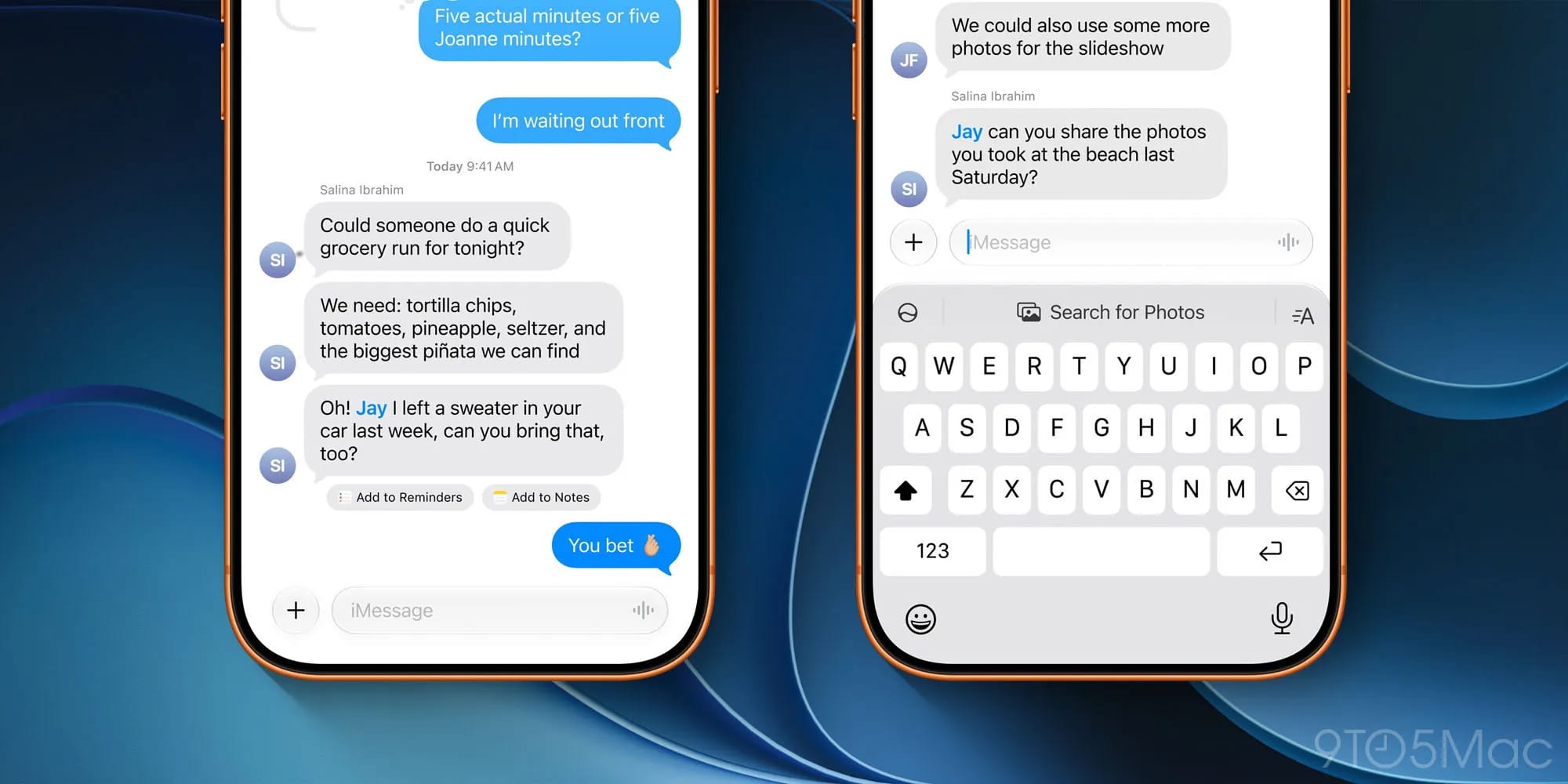
Suggestions is an artificial intelligence-based tool that analyses the context of a user's conversation. For example, if a contact asks you to send photos, the system automatically identifies keywords, locations, and people in your photo library to make finding the right images easier. Suggestions appear as small, convenient buttons directly beneath the relevant messages.
In addition to searching for photos, the tool helps users create Reminders, Notes, or add events to Calendar. If a task or date is mentioned in a chat, iOS automatically offers a corresponding action, serving as an effective time-saver.
Why was the feature delayed?
Although the feature performed well during beta testing, in certain situations it proved overly active, showing suggestions in inappropriate contexts. Apple took this feedback on board and allowed extra time to fine-tune the algorithms. Consequently, the system in iOS 27.2 is considerably more accurate and contextual — suggestions now appear only when truly necessary.
Users also have full control over managing the feature. If you wish to configure which types of suggestions appear in your app, you can navigate to Settings ⇾ Apps ⇾ Messages ⇾ Suggested Actions. Here, you can select your preferred categories to tailor the interface to your personal needs.
What does this mean for users in Georgia?
This update marks another step in Apple's strategy to simplify daily digital interactions. However, it is worth noting that the performance of such features often depends on language barriers. While the feature operates smoothly in English, its accuracy in a Georgian-language context may vary. Nevertheless, this update will certainly make using an iPhone every day more productive.