How to Control Multiple Computers With One Mouse and Keyboard

Hardware Solutions for Stability
Controlling multiple computers with a single keyboard and mouse is a common practice today, particularly for those juggling Windows and macOS or multiple systems simultaneously. While software solutions exist—such as Microsoft's Mouse without Borders—they often rely on Wi-Fi connectivity, which can be unstable in office environments. Hardware-based USB switches offer a far more dependable alternative.
KVM Switches and Specialized Cables
Traditional KVM (Keyboard, Video, Mouse) switches allow you to toggle control between devices at the press of a button. However, they have limitations: in most cases, a seamless handoff of the cursor from one screen to another is not possible. For more advanced features, J5Create products, such as the Wormhole series cables, allow you to not only control computers but also share a clipboard and turn one computer into a secondary monitor for another.
The company’s latest and quite unusual product is the Aero Drop CrossLink. This small USB-A device, housed in an astronaut figure, allows you to control an iPhone, iPad, or Android device using your computer’s keyboard via Bluetooth. It is ideal for those looking to simplify communication between mobile devices and computers.
Intelligent Switches and Software Alternatives
There are devices on the market that do not require software installation. For example, LoopMotion is one of the most intelligent switches available; it detects "location." Once cables are connected, the cursor automatically moves from one computer to another. This device even works with Linux, making it quite flexible, though it does not support built-in laptop touchpads.
If you still prefer a software solution, Microsoft's Mouse without Borders is a free and effective choice, though it only works on four Windows devices. For more complex systems involving macOS and Linux, Synergy or DeskFlow are better options. Meanwhile, Multiplicity stands out for its audio sharing capabilities and high level of configuration.
What to Consider
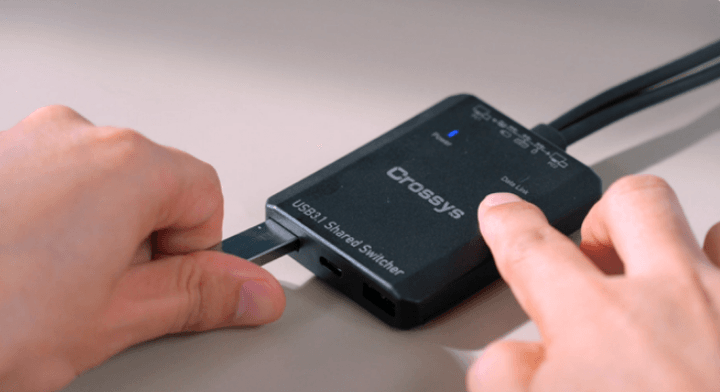
When making a choice, it is important to consider your specific needs. If clipboard sharing and connecting laptops are priorities, a solution like Asuizo Crossys would be better. If you want a system that works immediately, even before reaching the login screen, hardware USB switches are indispensable. For users working in hybrid modes, these devices significantly optimise the workflow.