How to Adjust the iPhone Duo External Screen for Protective Cases
A new software feature ensures your case never gets in the way of your display.
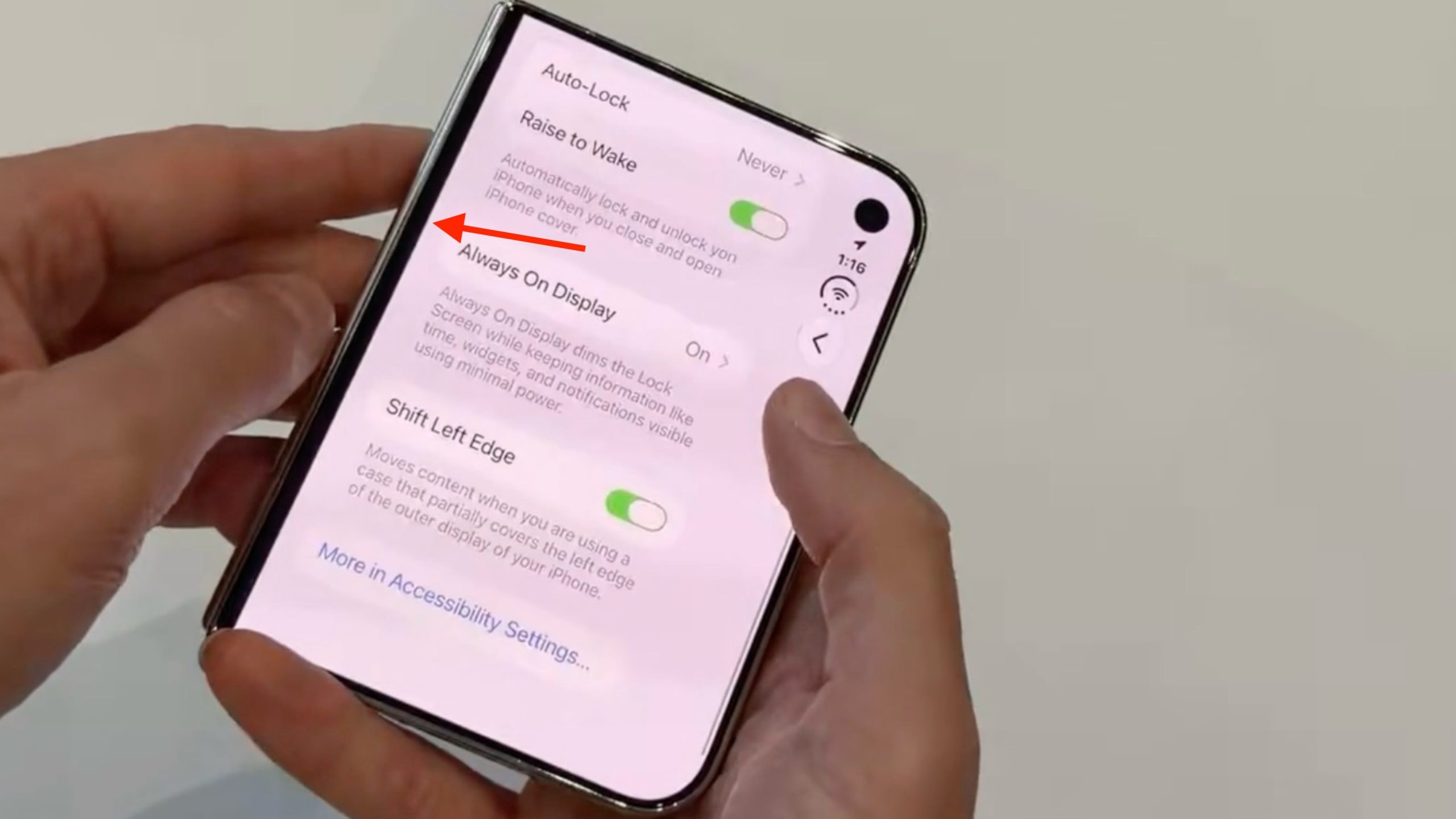
An Innovative Solution for Foldable Smartphones
Apple’s first foldable smartphone, the iPhone Duo, has arrived with a suite of new capabilities. Given the device's unique design, Apple has introduced a special setting that allows users to adjust the external screen’s display to accommodate protective cases. The feature, known as Shift Left Edge, shifts the left side of the screen slightly inward, ensuring that content is not hidden beneath the frame of a case.
How to Enable Shift Left Edge
This feature is particularly useful for cases produced by third-party manufacturers. If you are using an official Apple iPhone Duo Case, the smartphone will automatically suggest enabling this setting as soon as the case is attached. Otherwise, you can easily activate it manually:
- Open the Settings app on your iPhone Duo.
- Navigate to the Display & Brightness section.
- Toggle on the Shift Left Edge feature and confirm your choice by tapping the Enable button.
It is worth noting that after activating the setting, the smartphone requires a quick restart. This is not a full system reboot; the screen will simply go black for a few seconds, after which the changes will take effect and you will return to the same menu. Once you return to the home screen, you will notice a narrow black bar on the left side, which provides the necessary clearance for the case frame.
Why This Matters
With foldable smartphones, accessing the edges of the screen is often problematic due to protective accessories. This solution from Apple demonstrates the company’s commitment to refining the user interface. Notably, Apple’s other official accessory, the Folio with Kickstand, does not cover the screen, so using this feature with that product is unnecessary.
While the iPhone Duo remains a premium device in Georgia, understanding these technical details is important for those who plan to protect their smartphone while maintaining full functionality. This feature once again confirms that Apple’s ecosystem pays great attention to detail, ultimately resulting in a more comfortable user experience.