Google to Enhance Pixel Screen Recording with New Markup Tools
New markup tools will allow users to draw and highlight content in real-time.
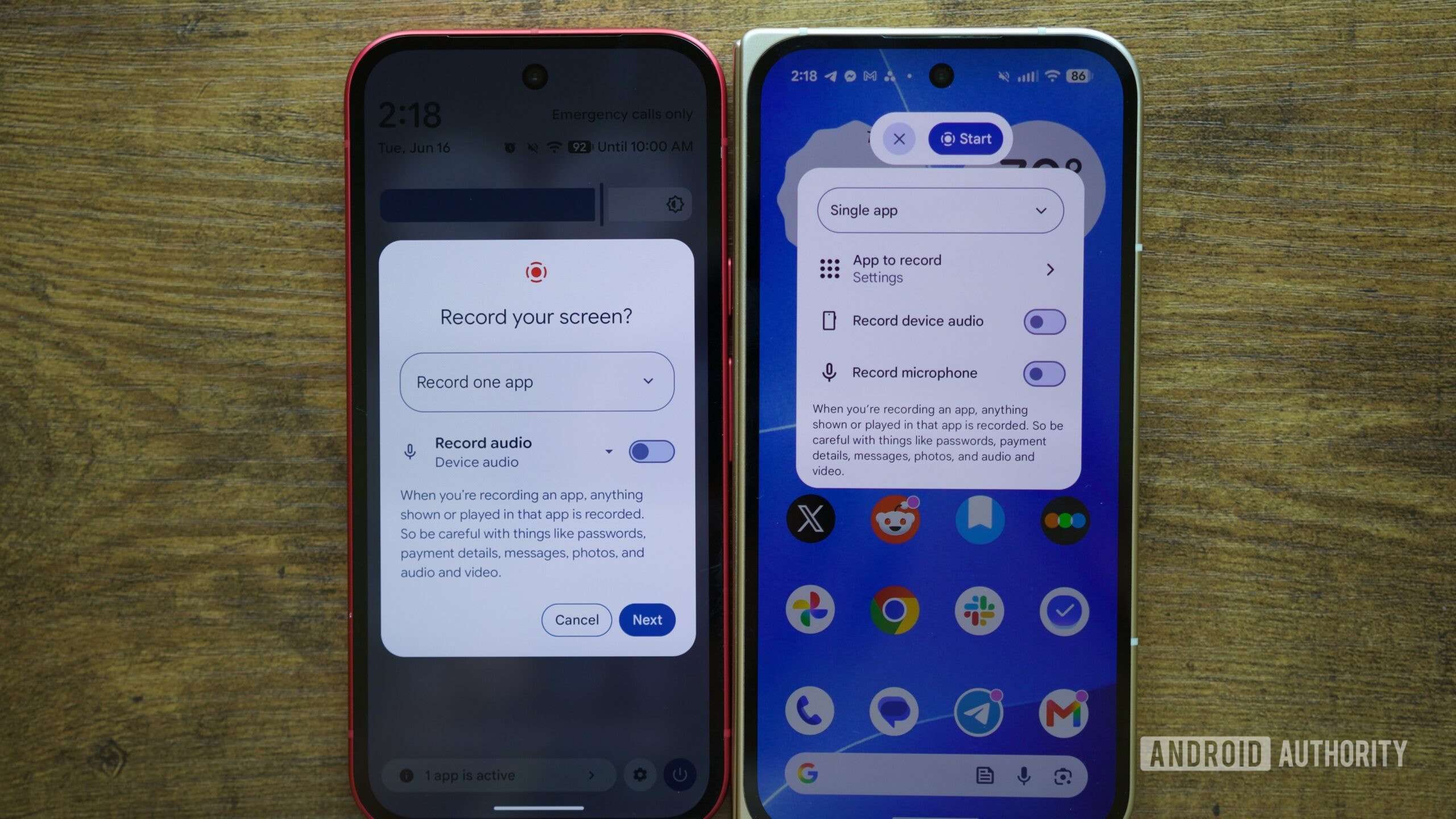
Enhanced Screen Recording Capabilities
Google is actively developing an update for the screen recording tool on Pixel smartphones. Recent reports indicate that the company plans to introduce a feature allowing users to draw and highlight specific areas on the screen while recording. This addition is expected to significantly simplify the creation of technical instructions and video tutorials.
The information stems from references discovered in the code for Android 17 QPR3 Beta 2. System files reveal traces of a new "markup" tool that will appear as an overlay, featuring various brush settings. This approach closely resembles a popular feature already present in Samsung’s One UI, which allows users to point out specific buttons or menus in real-time during a recording.
Why This Matters for Pixel Users
Currently, the screen recording process on Pixel devices is quite standard. If a user wants to demonstrate how to navigate complex smartphone menus, they often have to edit the recording afterward to add graphical elements. An integrated tool will make this possible during the recording process, saving time and making videos much clearer.
Although traces of the functionality are visible in the system code, the project is still in its early stages. At this time, there is no finished interface, nor is there an official date for when this feature will be available to the general public. Google typically requires time to refine such tools to ensure they function reliably across various applications.
What to Expect in the Future
The number of Pixel users in Georgia is growing steadily, making any software improvement that enhances system usability relevant to the local audience as well. Updating the screen recording function is one of those small but necessary changes that make the Android ecosystem more competitive.
For now, we can only wait for Google to release an official update. The feature is expected to become available to Pixel users in the coming months as part of a system update package. Until then, users will have to rely on existing capabilities or use third-party applications that offer similar functionality.