Google Rolls Out New Gemini Design for Android Devices
The update brings the refined 'Neural Expressive' design language to all supported Android devices.
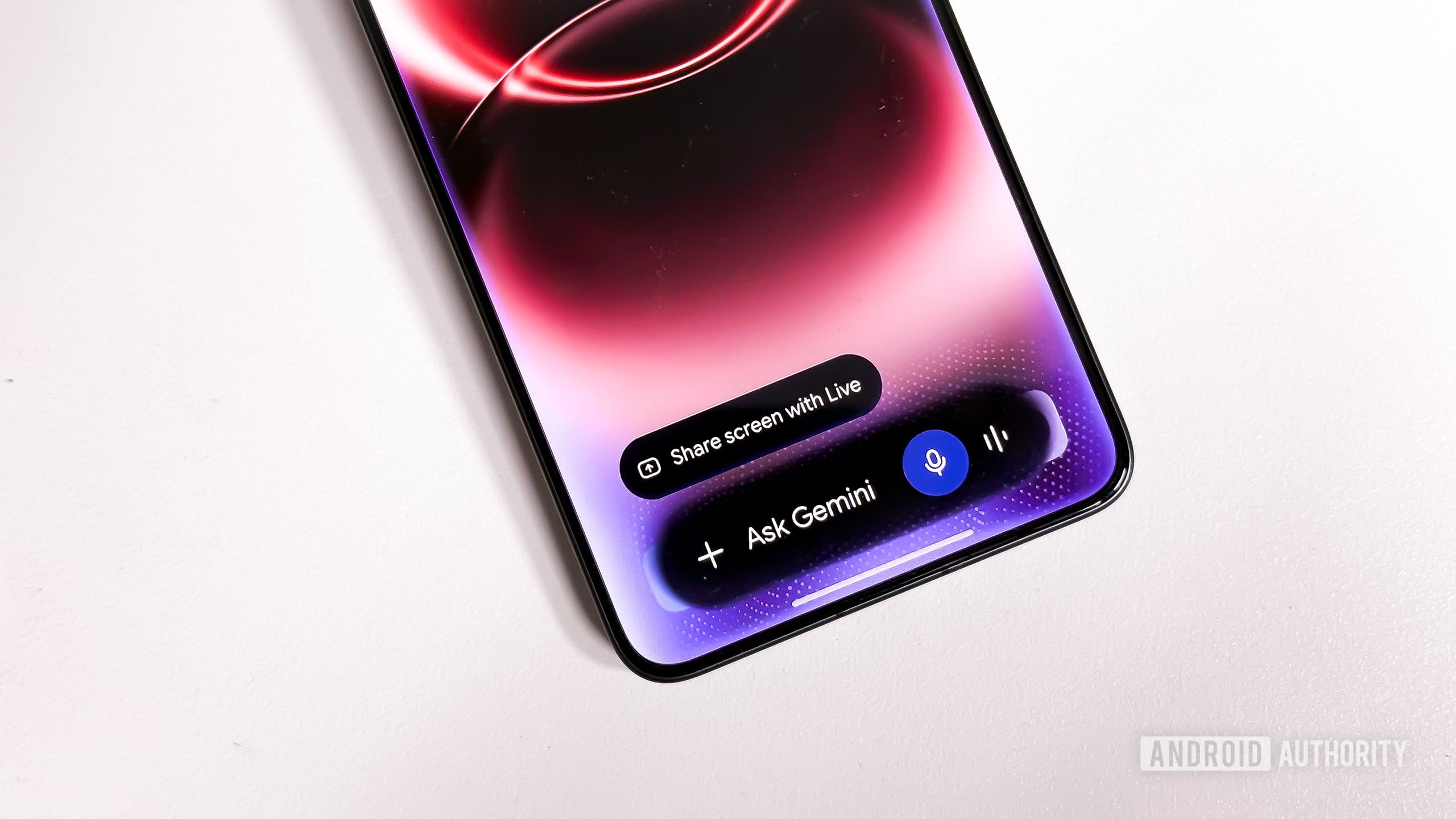
Google has introduced a significant visual update to the Gemini digital assistant interface for Android users. The company has officially begun rolling out new animation effects designed to make the Gemini experience more aesthetic and dynamic. The update is being distributed as part of the latest Google app release and will be available on all supported Android devices.
What has changed in the interface?
The new design is based on Google’s "Neural Expressive" design language. This approach aims to represent artificial intelligence through more vivid and "ethereal" visual forms. When users activate Gemini, they will notice special glowing and shimmering effects, along with a flow of small dots surrounding the "Ask Gemini" text field. These details are intended to make interacting with the assistant feel more modern and visually engaging.
Notably, this visual treatment was previously exclusive to the company’s latest flagship series, the Pixel 11. Google has decided that this aesthetic update should not be restricted to specific models, opting instead to make it available to a broader audience. With this move, the tech giant aims to maintain a unified visual style across its product ecosystem, creating a more consistent user experience.
Why does this matter?
Continuously updating the Gemini interface remains a priority for Google. Recent months have seen numerous experiments, including changes to the Circle to Search feature and Gemini Live animations. The company is striving to ensure that artificial intelligence is not merely a "dry" text-based interface, but something that better aligns with the user’s emotional perception.
For users who rely on Android smartphones, this update means that once the Google app is updated, their assistant will undergo a visual transformation. While the changes are purely cosmetic and do not alter Gemini’s core functional capabilities, they underscore Google’s strategy to make the integration of artificial intelligence into everyday devices as refined and pleasant as possible.
To receive the update, users should download the latest version of the app from the Google Play Store. If the changes have not yet appeared on your device, it indicates that the update is being rolled out in stages and will reach your smartphone in the near future.