Craft: How the Productivity App Adapts to the New iPhone Duo
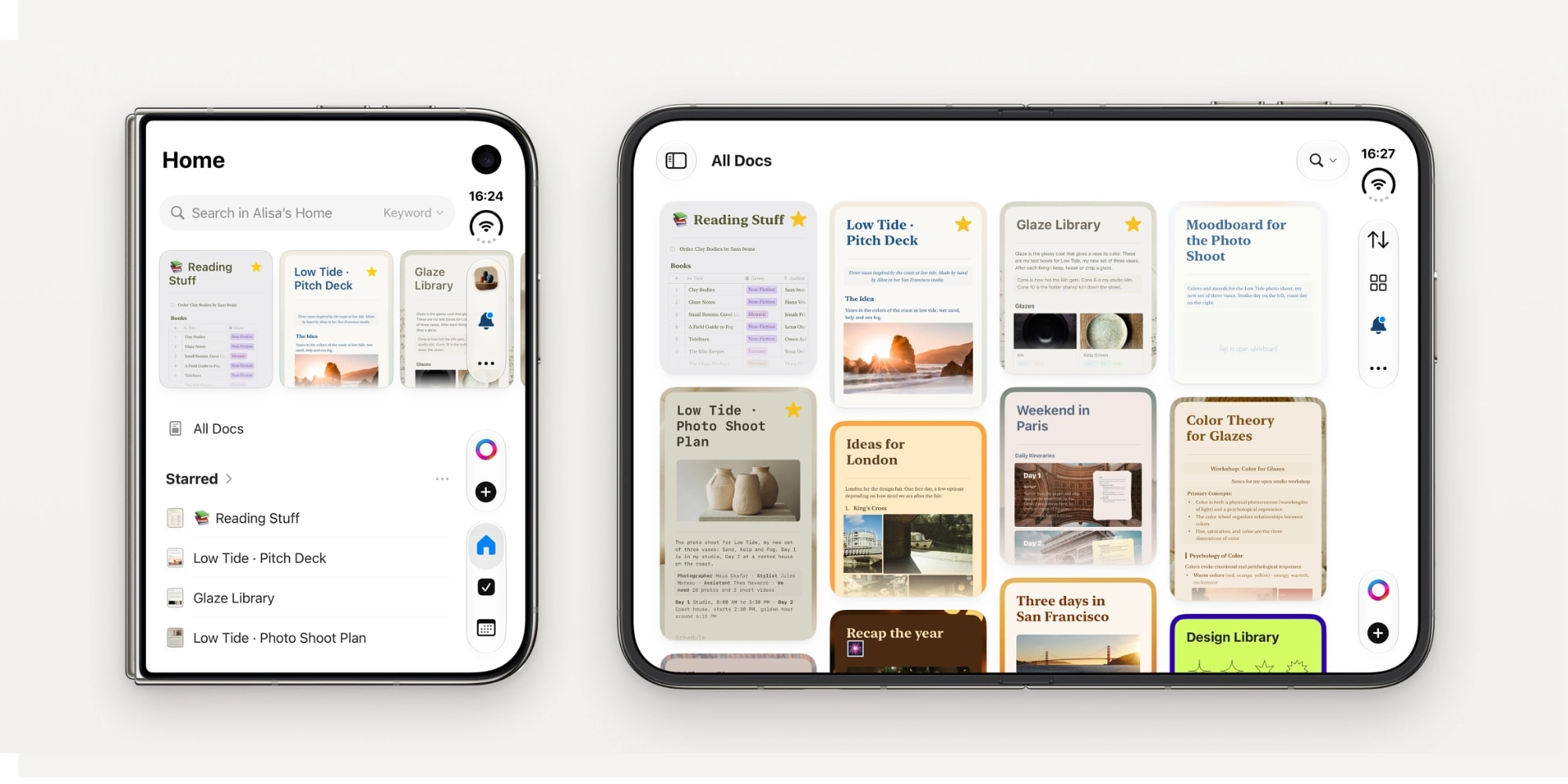
It has been an active autumn in the Apple ecosystem. Following the release of iOS and macOS 27, the iPhone Duo has hit the market—a device that has altered the traditional perception of smartphone design. However, new hardware is only the beginning; the true potential is revealed when software maximizes the capabilities of a new form factor. One of the first applications to fully adapt to the iPhone Duo is the productivity platform Craft.## New possibilities on the big screenCraft has always been distinguished by its deep integration with Apple platforms. In the case of the iPhone Duo, the application changes dynamically based on the device's state. When folded, it functions like a standard iPhone app, while unfolding it provides the user with significantly more space.Multitasking is particularly noteworthy. With the new support, users can have a document open on one side of the screen and photos or a browser on the other. Dragging and dropping images or text into a document makes the workflow much more efficient. Furthermore, the device's matte, nano-textured screen is ideal for reading and editing long documents.## Artificial intelligence by user choiceAlthough most modern applications are integrating artificial intelligence (AI) everywhere, Craft has chosen a different path. Here, AI is a tool, not a mandatory component. Craft Assistant can be used for text processing or generating ideas, but the user has complete freedom: they can use the application's built-in credit system, connect their own API key (BYOK), or disable AI entirely from the settings.## Improved functionalityOver the past few months, developers have focused heavily on refining existing features. The task management system has been updated to be more flexible, allowing users to view tasks from different projects in a single space. Additionally, the template system has been improved, enabling users to automatically apply predefined structures to daily notes.Craft remains one of the most powerful tools for those who prefer to manage notes, tasks, and documents in one place. The app is available on iPhone, iPad, Mac, and Apple Vision Pro devices, ensuring rapid data synchronization. It is also fully functional in offline mode, which is important for those who need to work without an internet connection.For Apple device users in Georgia, this update is another opportunity to plan their workflows more effectively and take full advantage of the benefits of next-generation smartphones.