Chromagraph: Bringing Cinematic Visuals to the iPhone
Director Rian Johnson’s new app reimagines mobile photography through the lens of professional film production.

While the App Store is saturated with photography tools, a new arrival is making waves with serious cinematic ambitions. Chromagraph is the brainchild of director Rian Johnson, known for his work on Star Wars: The Last Jedi and the Knives Out trilogy. Johnson spent years searching for a way to make iPhone photos mirror the visual language he employs in his own feature films.
A Cinematic Approach to Photography
To bring his vision to life, the director collaborated with his long-time cinematographer, Steve Yedlin, and developer Eric Cameron. The resulting app departs from traditional photo editors by ignoring the iPhone’s standard image processing pipeline. Instead, it takes raw data and applies the same technical and color standards the team uses in professional film production.
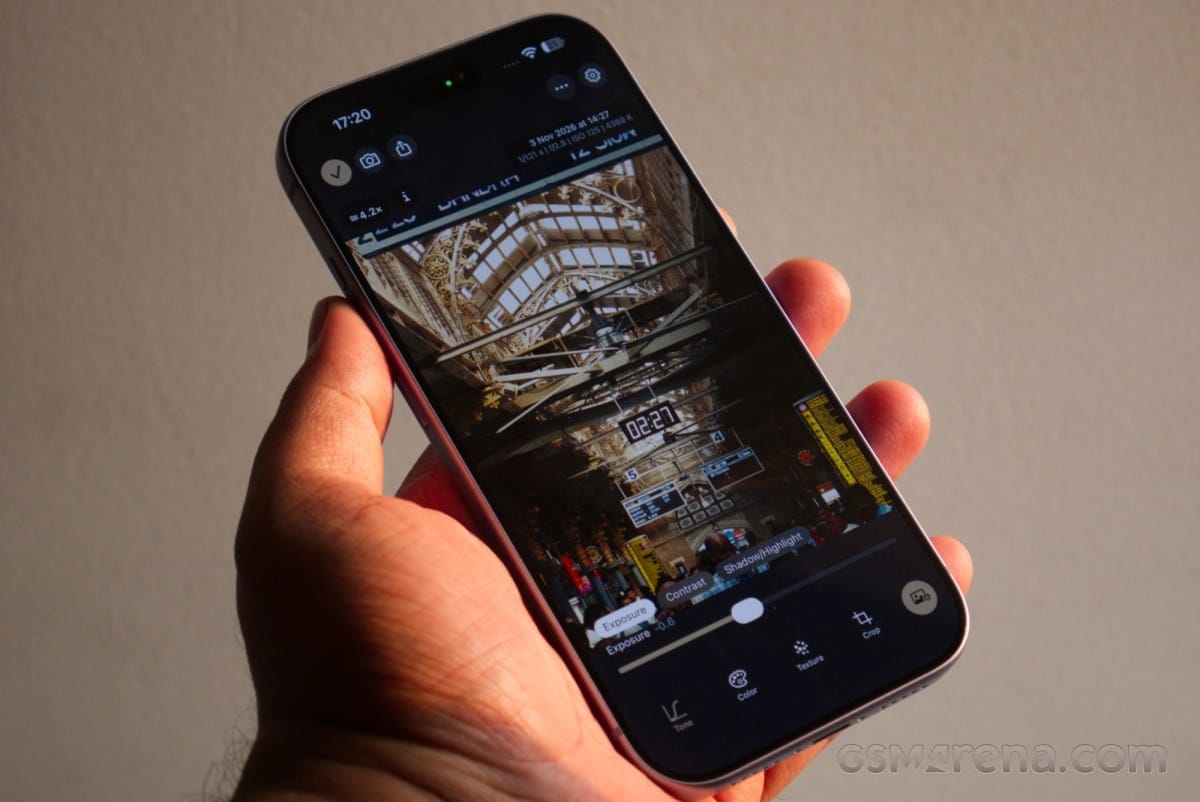
The app features a minimalist black-and-gold interface, stripping away complex menus in favor of a focused aesthetic. Users can adjust exposure, contrast, white balance, film grain, and the halation effect—a technique that creates a soft glow in high-contrast areas.
Limitations and Creative Freedom
Chromagraph is defined by its warm, golden tones. Rather than chasing the clinical perfection typical of digital photography, it intentionally embraces imperfections to make images feel more organic. However, the app is sensitive to its environment. It performs brilliantly in natural light, particularly in high-contrast scenes, though results can be unpredictable under artificial or fluorescent lighting.
Technically, the app is still a work in progress. Users have reported that the interface can occasionally feel cumbersome and the camera startup time is not always instantaneous. Nevertheless, Chromagraph is not designed for casual snapshots. It is a specialized tool for those who want to explore a cinematic vision within the constraints of mobile hardware.
Is It Worth Using?
If you are looking for an app that provides clean, neutral RAW files for heavy post-processing, alternatives like Halide or Mood may be more suitable. Chromagraph, however, serves a different purpose: it offers a pre-defined, deliberate visual style. While it is a niche tool that may not suit every scenario, it remains an intriguing experiment for mobile photography enthusiasts looking to infuse their work with a cinematic aesthetic.