ChatGPT in Chrome: OpenAI’s Latest Move in the Browser Wars
OpenAI’s latest update allows the AI to interact with your browser tabs, marking a new phase in the competition for AI-integrated browsing.
ChatGPT as Your Personal Digital Assistant
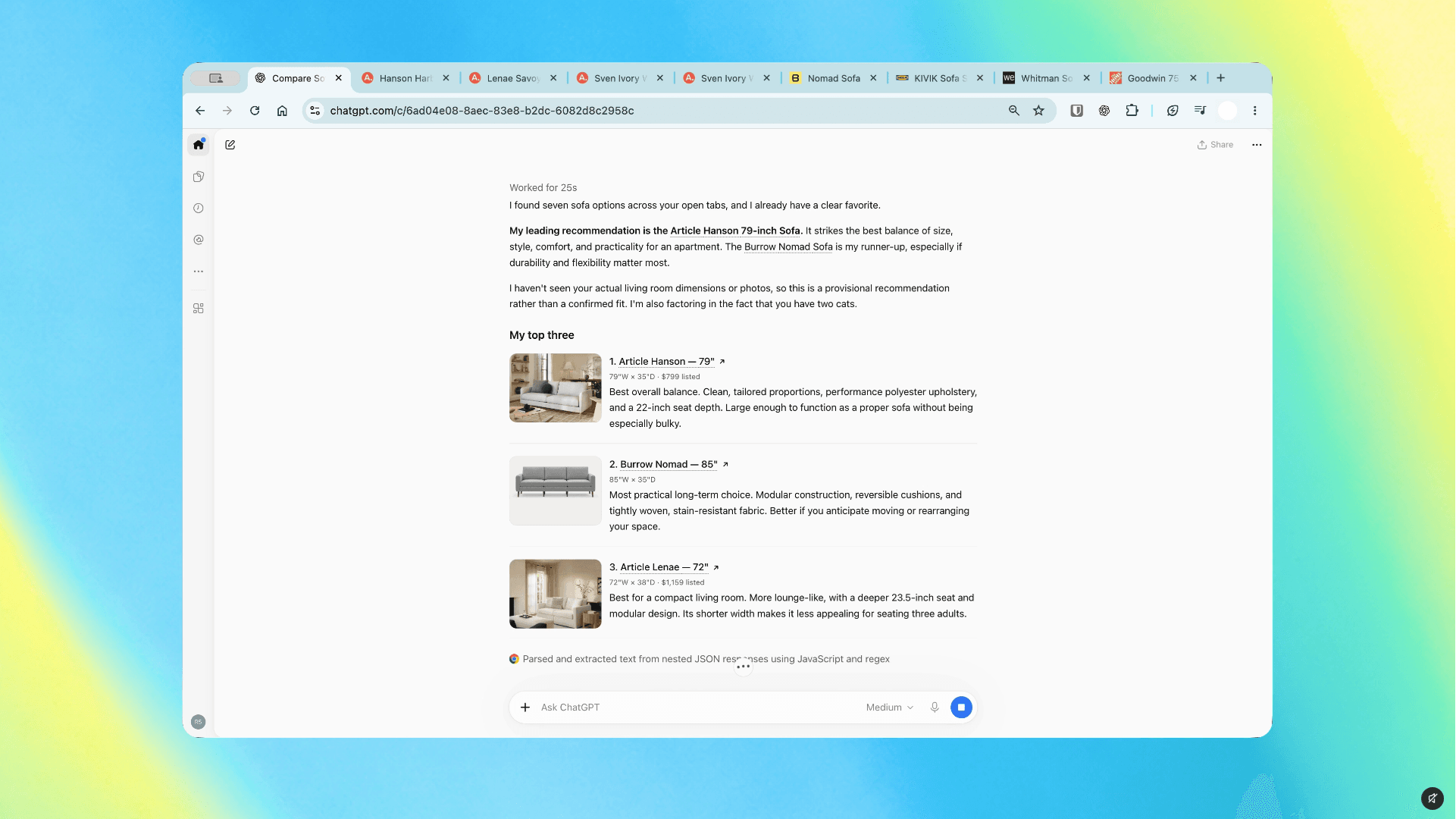
OpenAI has significantly updated its Chrome extension, bringing the capabilities of artificial intelligence directly into the Google browser. With this new functionality, ChatGPT remains constantly by your side via a sidebar, allowing you to process information or conduct research without leaving your current webpage.
The key feature of this update is that ChatGPT can now "see" and analyse all the tabs open in your browser. This is particularly useful for research; for instance, you can ask the AI to compare several articles, identify inconsistencies, or summarise information from multiple pages simultaneously. There is no longer a need to copy and paste text into a separate chat window; the assistant now perceives what you are reading.
Automation and ChatGPT Work
More ambitious capabilities are bundled under ChatGPT Work. This tool does not just answer questions; it actively engages in browser management. It can fill out online forms, send messages, or assist in organising your tabs. However, OpenAI emphasises that human oversight is essential when performing these types of tasks. While AI can handle a large portion of routine work, final verification remains the prerogative of the user to avoid errors during form completion.
The Battle for the Chrome Ecosystem
This move is no coincidence. Google is actively working to integrate its own AI assistant, Gemini, into Chrome to make it an inseparable part of the browser. OpenAI’s strategy is the opposite: they want users who are already accustomed to ChatGPT to feel no need to switch to Gemini simply because it is "closer." By updating the Chrome extension, OpenAI has strengthened its position within Google’s most popular product. This creates an environment where the user can choose their preferred assistant, even though the browser is owned by Google.
What Users Should Consider
Despite the convenience, it is important to keep security aspects in mind. When you give AI access to your tabs and permission to interact with websites, you should always monitor the type of information you share. The OpenAI extension includes a permission management system, but the final decision always rests with the user.
For users who actively use ChatGPT in their daily activities, this update will prove highly beneficial. It reduces barriers in the workflow and allows artificial intelligence to become an integral part of the browser. Although full automation still requires human control, this integration marks a significant step toward simpler and more efficient web browsing.