Canva Launches New Unified Affinity App for iPad
The new application brings vector graphics, photo editing, and layout tools to a single, iPad-optimised workspace.
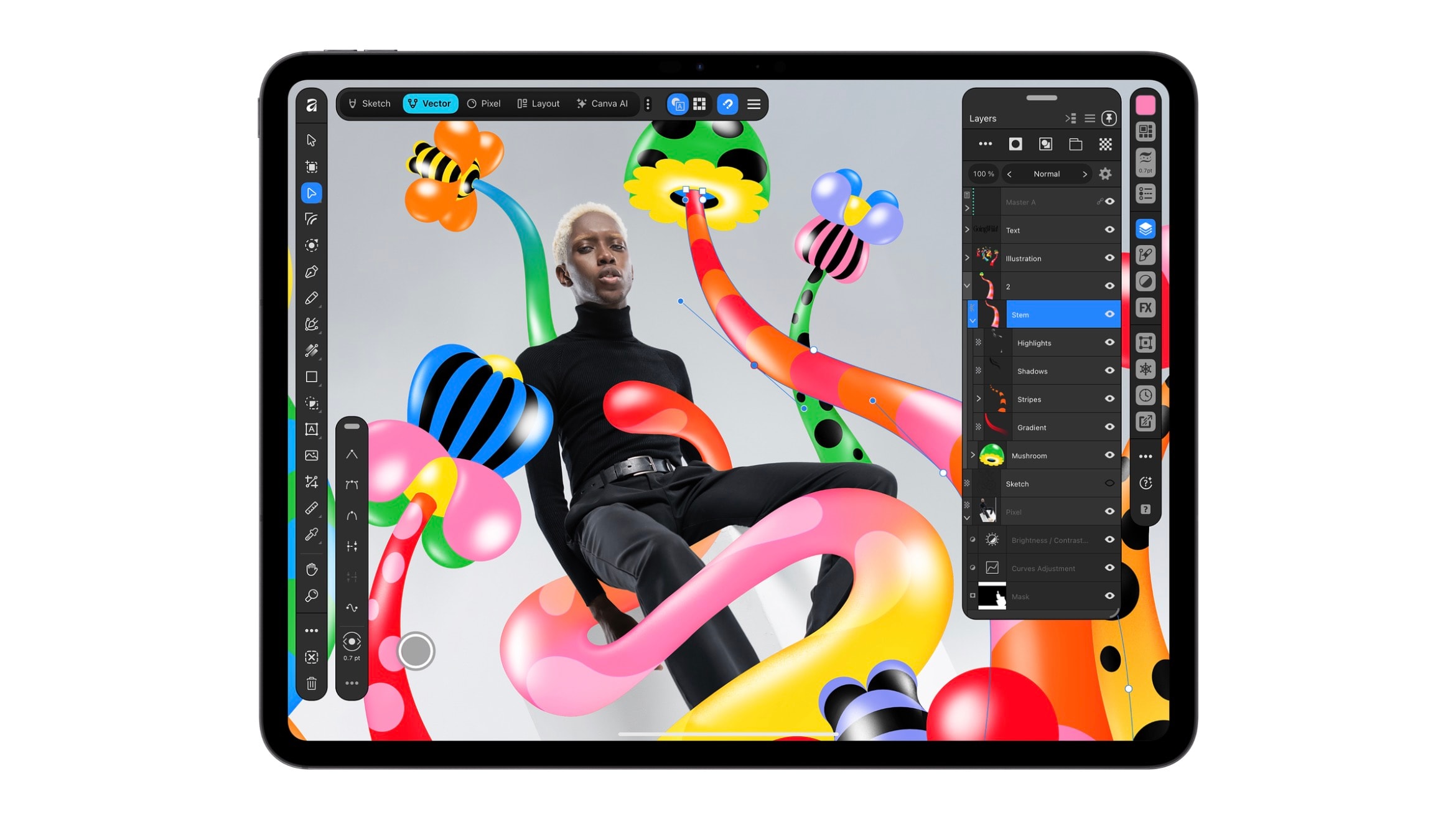
New Capabilities for iPad Users
Canva has officially released the Affinity app for iPad, allowing tablet users to work across various design disciplines in a single space. The new application integrates vector graphics, photo editing, page layout, and sketching. This move is a logical progression from last year's desktop release, which brought Affinity Designer, Photo, and Publisher into a single ecosystem.
Unlike other platforms that offer stripped-down versions of desktop applications, Canva has designed the Affinity interface specifically for the iPad. The app fully leverages Apple Pencil capabilities, including features like Barrel Roll, Squeeze, and Hover, significantly streamlining the workflow for professional designers.
Sketch Studio and Creative Tools
A key highlight of the application is Sketch Studio, which enables freehand drawing. Notably, the Sketch to Shapes feature automatically converts hand-drawn sketches into vector shapes. In the photo editing section, users can work with RAW files, perform non-destructive adjustments, and use the Mask Tool, which is particularly useful for processing complex contours such as hair and fur.
Users can seamlessly switch between Sketch, Vector, Pixel, and Layout modes within the same file. Importantly, the created .af files are fully compatible with the desktop version, allowing projects to be continued across different devices.
Availability and Limitations
Core tools are free for individual users, though a Canva account is required to use the app. Advanced AI-powered features, such as Generative Expand, image upscaling, and Decompose Layer, are available exclusively with a Canva Premium subscription.
Despite its extensive functionality, the initial version of the app does not yet include every tool found in the desktop version. At this stage, Books, Batch, Data Merge, and macro recording features are unavailable, though developers plan to add them in future updates. To download the app, users require iPadOS 18.0 or later.
This update is significant for designers who actively use the iPad for creative work. The unified ecosystem simplifies the workflow, enabling the management of complex projects directly from a tablet.